---
title: "Notre livre blanc: Quel type d'équipe pour gérer sa bibliothèque BIM ?"
description: Pour vous accompagner dans la mise en place d’une équipe bibliothèque BIM efficace, nous vous proposons ce guide pratique.
---
[![BIM&CO-color\[Pantone\] sans baseline (1)-1](https://crm.bimandco.com/hs-fs/hubfs/BIM%26CO-color%5BPantone%5D%20sans%20baseline%20(1)-1.png?width=1168&height=506&name=BIM%26CO-color%5BPantone%5D%20sans%20baseline%20(1)-1.png "BIM&CO-color[Pantone] sans baseline (1)-1")](https://www.bimandco.com/bim/fr/)

# Quel type d'équipe pour gérer sa bibliothèque BIM ?
BIM Managers, Coordinateurs BIM, Chargés de projets, quoi de mieux qu'une équipe dédiée à la gestion de votre bibliothèque d'objets BIM, pour mener à bien vos projets de construction digitale ?
Pour vous accompagner dans la création d'une équipe Bibliothèque BIM efficace, nous vous proposons un guide pratique très simple à mettre en œuvre.
Ce document complet sera utile pour tous ceux qui désirent constituer une équipe au sein de leur entreprise, dédiée à la gestion des bibliothèques de contenus BIM.

Les étapes que vous allez trouver :
**✅ Étudier l’existant :** Étudiez les quatre modèles d'organisation d'équipes que nous avons élaboré, à savoir solitaire, centralisé, fédéré et cyclique.
**✅ ****Choisir son modèle :** Choisissez le modèle qui s'adapte le mieux à vous, à votre équipe et à votre entreprise grâce à nos conseils avisés.
**✅** **Constituer son équipe :** Après avoir étudié les différentes possibilités, n'attendez plus et créez votre équipe dédiée à votre bibliothèque d'objets BIM !
Découvrez nos autres livres blancs !
[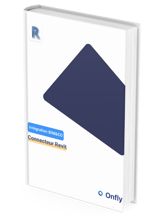](https://crm.bimandco.com/fr/connecteur-revit?utm_source=maillage-interne&utm_medium=hubspot&utm_campaign=whitebook-pluginrevit-062022-fr&utm_content=FR&hsLang=fr)
Essayez notre plugin avec Revit!
**Conformité des objets BIM vérifiée, recherches de contenus BIM optimisées**... découvrez comment ce connecteur va faciliter tous vos projets BIM dans notre livre blanc.
[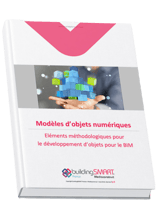](https://crm.bimandco.com/fr/whitebook-building-smart?utm_source=maillage-interne&utm_medium=hubspot&utm_campaign=whitebook-buildingsmart-fr&utm_content=FR&hsLang=fr)
Éléments méthodologiques pour le développement d’objets BIM, avec la participation de BuildingSmart France.
Ce document, avec la participation de BuildingSmart France vous guidera par des méthodes pour développer des objets de qualité.
[](https://crm.bimandco.com/fr/comment-creer-une-bibliotheque-bim-en-10-etapes?utm_source=maillage-interne&utm_medium=hubspot&utm_campaign=whitebook-10etapes-fr&utm_content=FR&hsLang=fr)
Comment créer une bibliothèque d'objets BIM en 10 étapes ?
Un guide indispensable pour tous ceux qui désirent constituer une bibliothèque de contenus BIM robuste dans leur entreprise, en 10 étapes utiles.
Les clients qui nous font confiance







![Apogea_logotipo_color\[77\]](https://crm.bimandco.com/hs-fs/hubfs/Apogea_logotipo_color%5B77%5D.png?width=90&height=37&name=Apogea_logotipo_color%5B77%5D.png "Apogea_logotipo_color[77]")

[J'essaye Onfly pendant 14 jours!](https://meetings.hubspot.com/baptiste-joyeaux?utm_source=site-onfly&utm_medium=onfly-io&utm_campaign=welcome-onflyfreetrial-092022-FR&utm_content=FR)
Suivez nos actualités !
© 2026 -
Copyright BIM&Co – All Rights reserved.