---
title: Structuring your data in order to enrich your BIM objects, with Systra
description: Structuring BIM data around a shared data repository has enabled the SYSTRA Group to enrich its BIM objects. Discover how in this use case!
---
[![BIM&CO-color\[Pantone\] sans baseline (1)-1](https://crm.bimandco.com/hs-fs/hubfs/BIM%26CO-color%5BPantone%5D%20sans%20baseline%20(1)-1.png?width=1168&height=506&name=BIM%26CO-color%5BPantone%5D%20sans%20baseline%20(1)-1.png "BIM&CO-color[Pantone] sans baseline (1)-1")](https://www.bimandco.com/bim/fr/)
.png "header uc systra (1)")
# How do you structure your data in order to enrich your BIM objects during project phases?
✅ The implementation of property sets within the SYSTRA group: objective, specific need and resources
✅ Back to the genesis of the project
✅ Onfly, a concrete response for the deployment of this standard
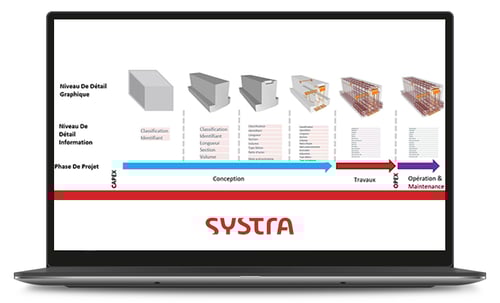

Nowadays, the adoption of a common language is key to the success of engineering companies working in BIM.
Companies operating on an international scale are often confronted with difficulty achieving coherence between the BIM processes in each of their subsidiaries around the world.
Structuring BIM data around a shared data repository has enabled the SYSTRA Group to rise to these challenges. Discover how in this use case!
Discover our other use cases and white books!
[.png?width=160&height=216&name=Whitebook%2010%20steps%20EN%20(2).png "Whitebook 10 steps EN (2)")](https://crm.bimandco.com/en/how-to-build-a-bim-library-in-10-steps?utm_source=maillage-interne&utm_medium=hubspot&utm_campaign=whitebook-10etapes-en&utm_content=EN&hsLang=en)
How to create a BIM library in 10 steps ?
An indispensable guide for anyone wishing to build a robust BIM content library in their company, in 10 useful steps.
[](https://crm.bimandco.com/en/connecteur-revit?utm_source=maillage-interne&utm_medium=hubspot&utm_campaign=whitebook-pluginrevit-082022-en&utm_content=EN&hsLang=en)
This Revit & Onfly connector is aimed at design offices, architects and installers around the world.
Verified conformity of BIM objects, optimised searches... discover how to facilitate all your BIM projects!
[](https://crm.bimandco.com/en/how-to-set-up-bim-objects-under-commonly-used-standards?utm_source=maillage-interne&utm_medium=hubspot&utm_campaign=usecase-canalisabel-022022-en&utm_content=EN&hsLang=en)
How to set up BIM objects under commonly used standards? With Canal de Isabel II.
Discover the phases carried out by Canal de Isabel II, for the parameterisation of its BIM objects and the results obtained.
Clients who trust us







![Apogea_logotipo_color\[77\]](https://crm.bimandco.com/hs-fs/hubfs/Apogea_logotipo_color%5B77%5D.png?width=90&height=37&name=Apogea_logotipo_color%5B77%5D.png "Apogea_logotipo_color[77]")

Follow our latest news!
© 2026 -
Copyright BIM&Co – All Rights reserved.